Showing posts with label lll. Show all posts
Useful Task in Linux
Changing time zone
# cd /etc/
# ls -lrt local-time*
# ln -s /usr/share/zoneinfo/Asia/Kolkata /etc/localtime
Save entry in : vi /etc/ntp.conf
Server <ip>
# service ntpd restart
# cd /etc/
# ls -lrt local-time*
# ln -s /usr/share/zoneinfo/Asia/Kolkata /etc/localtime
Save entry in : vi /etc/ntp.conf
Server <ip>
# service ntpd restart
Create NFS Share in linux
mkdir /u05
vi /etc/exports
u05 *(rw,sync)
mount -t nfs 10.10.10.XX:/u05 /u05/
To mount in other server
Create /u05 directory
Add entry in /etc/fstab
Add entry in /etc/fstab of other server
10.10.10.74:/u05 /u05 nfs defaults 0 0
mkdir /u05
vi /etc/exports
u05 *(rw,sync)
mount -t nfs 10.10.10.XX:/u05 /u05/
To mount in other server
Create /u05 directory
Add entry in /etc/fstab
Add entry in /etc/fstab of other server
10.10.10.74:/u05 /u05 nfs defaults 0 0
$ mount –a
unzip file at difference location in linux
Syntax:unzip {.zip-file-name} -d {/path/to/extract}
For example extract package.zip into /u01/app/oracle/patches/, enter:
# unzip p11212_linux_x86_64.zip -d /u01/app/oracle/patches/
Syntax:unzip {.zip-file-name} -d {/path/to/extract}
For example extract package.zip into /u01/app/oracle/patches/, enter:
# unzip p11212_linux_x86_64.zip -d /u01/app/oracle/patches/
Adding swapsize in linux

Adding 2GB of swapsize
[root@dgprim ~]# dd if=/dev/zero of=/u05/swapfile1 count=1M bs=2048
1048576+0 records in
1048576+0 records out
2147483648 bytes (2.1 GB) copied, 4.00654 s, 536 MB/s
[root@dgprim ~]# mkswap -c /u05/swapfile1
Setting up swapspace version 1, size = 2097148 KiB
no label, UUID=f4094cb1-136b-4491-b13c-074d8b77e323
[root@dgprim ~]# swapon /u05/swapfile1
[root@dgprim ~]# swapon -s
Filename Type Size Used Priority
/u05/swapfile1 file 2097148 0 -1
1048576+0 records in
1048576+0 records out
2147483648 bytes (2.1 GB) copied, 4.00654 s, 536 MB/s
[root@dgprim ~]# mkswap -c /u05/swapfile1
Setting up swapspace version 1, size = 2097148 KiB
no label, UUID=f4094cb1-136b-4491-b13c-074d8b77e323
[root@dgprim ~]# swapon /u05/swapfile1
[root@dgprim ~]# swapon -s
Filename Type Size Used Priority
/u05/swapfile1 file 2097148 0 -1
vi /etc/fstab
Add these lines:
/u05/swapfile1 swap swap defaults 0 0
Add these lines:
/u05/swapfile1 swap swap defaults 0 0
Check for swap size [root@dgprim ~]# free -m
total used free shared buffers cached
Mem: 11667 3725 7941 1 135 2811
-/+ buffers/cache: 778 10889
Swap: 2047 0 2047
Note : Now the swap size is increased.
total used free shared buffers cached
Mem: 11667 3725 7941 1 135 2811
-/+ buffers/cache: 778 10889
Swap: 2047 0 2047
Note : Now the swap size is increased.
Add Logical Partition to root in Linux
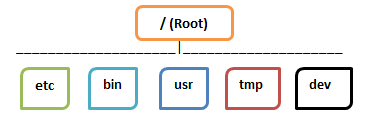
Add logical Partition to the root
old size of root : 8GB
add size of 30GB in root
[root@rac-node2 ~]# df -h
Filesystem Size Used Avail Use% Mounted on
/dev/mapper/VolGroup-lv_root
6.5G 3.8G 2.4G 62% /
tmpfs 4.8G 0 4.8G 0% /dev/shm
/dev/xvda1 477M 68M 380M 16% /boot
/dev/xvdb1 50G 52M 47G 1% /u01
1: Add Disk of 30GB
[root@rac-node2 ~]# fdisk -l
Disk /dev/xvdc: 32.2 GB, 32212254720 bytes
255 heads, 63 sectors/track, 3916 cylinders
Units = cylinders of 16065 * 512 = 8225280 bytes
Sector size (logical/physical): 512 bytes / 512 bytes
I/O size (minimum/optimal): 512 bytes / 512 bytes
Disk identifier: 0x00000000
2: run fdisk using /dev/xvdc
[root@rac-node2 ~]# fdisk /dev/xvdc
Command (m for help): n [TYPE n]
Command action
e extended
p primary partition (1-4)
p [TYPE p]
Partition number (1-4): 1 [TYPE 1]
First cylinder (1-3916, default 1): [ENTER]
Using default value 1
Last cylinder, +cylinders or +size{K,M,G} (1-3916, default 3916): [ENTER]
Using default value 3916
Command (m for help): t [TYPE t]
Selected partition 1
Hex code (type L to list codes): 8e [TYPE 8e]
Changed system type of partition 1 to 8e (Linux LVM)
Command (m for help): w [TYPE w]
The partition table has been altered!
Calling ioctl() to re-read partition table.
Syncing disks.
3: [root@rac-node2 ~]# fdisk -l
Disk /dev/xvdc: 32.2 GB, 32212254720 bytes
255 heads, 63 sectors/track, 3916 cylinders
Units = cylinders of 16065 * 512 = 8225280 bytes
Sector size (logical/physical): 512 bytes / 512 bytes
I/O size (minimum/optimal): 512 bytes / 512 bytes
Disk identifier: 0x54aca0fe
Device Boot Start End Blocks Id System
/dev/xvdc1 1 3916 31455238+ 8e Linux LVM
4: [root@rac-node2 ~]# pvcreate /dev/xvdc1
Physical volume "/dev/xvdc1" successfully created
5: [root@rac-node2 ~]# vgdisplay
--- Volume group ---
VG Name VolGroup
System ID
Format lvm2
Metadata Areas 1
Metadata Sequence No 3
VG Access read/write
VG Status resizable
MAX LV 0
Cur LV 2
Open LV 2
Max PV 0
Cur PV 1
Act PV 1
VG Size 7.51 GiB
PE Size 4.00 MiB
Total PE 1922
Alloc PE / Size 1922 / 7.51 GiB
Free PE / Size 0 / 0
VG UUID Jb01NO-YpG9-jU7D-VBRr-vlOG-xWTY-TdhZKw
6: [root@rac-node2 ~]# vgextend VolGroup /dev/xvdc1
Volume group "VolGroup" successfully extended
7: [root@rac-node2 ~]# pvscan
PV /dev/xvda2 VG VolGroup lvm2 [7.51 GiB / 0 free]
PV /dev/xvdc1 VG VolGroup lvm2 [30.00 GiB / 30.00 GiB free]
Total: 2 [37.50 GiB] / in use: 2 [37.50 GiB] / in no VG: 0 [0 ]
8: [root@rac-node2 ~]# lvdisplay
--- Logical volume ---
LV Path /dev/VolGroup/lv_root [TAKE LV PATH]
LV Name lv_root
VG Name VolGroup
LV UUID m30nCz-swe1-VzRY-nfzD-mlbo-lZd9-e2ngDb
LV Write Access read/write
LV Creation host, time localhost.localdomain, 2016-01-14 01:14:40 -0500
LV Status available
# open 1
LV Size 6.71 GiB
Current LE 1718
Segments 1
Allocation inherit
Read ahead sectors auto
- currently set to 256
Block device 252:0
--- Logical volume ---
LV Path /dev/VolGroup/lv_swap
LV Name lv_swap
VG Name VolGroup
LV UUID Leqw34-2ZiP-ohmc-CgvV-s6Qq-qrkF-iUkGdo
LV Write Access read/write
LV Creation host, time localhost.localdomain, 2016-01-14 01:14:47 -0500
LV Status available
# open 2
LV Size 816.00 MiB
Current LE 204
Segments 1
Allocation inherit
Read ahead sectors auto
- currently set to 256
Block device 252:1
9:
[root@rac-node2 ~]# lvextend /dev/VolGroup/lv_root /dev/xvdc1 [COMMAND]
Size of logical volume VolGroup/lv_root changed from 6.71 GiB (1718 extents) to 36.71 GiB (9397 extents).
Logical volume lv_root successfully resized
10:
[root@rac-node2 ~]# resize2fs /dev/VolGroup/lv_root [COMMAND]
resize2fs 1.43-WIP (20-Jun-2013)
Filesystem at /dev/VolGroup/lv_root is mounted on /; on-line resizing required
old_desc_blocks = 1, new_desc_blocks = 3
The filesystem on /dev/VolGroup/lv_root is now 9622528 blocks long.
[root@rac-node2 ~]# df -h [COMMAND]
Filesystem Size Used Avail Use% Mounted on
/dev/mapper/VolGroup-lv_root
37G 3.8G 31G 11% /
tmpfs 4.8G 0 4.8G 0% /dev/shm
/dev/xvda1 477M 68M 380M 16% /boot
/dev/xvdb1 50G 52M 47G 1% /u01
Error while installing yum [problem making ssl connection]
Error
https://download.postgresql.org/pub/repos/yum/testing/12/redhat/rhel-6Server-x86_64/repodata/repomd.xml: [Errno 14] problem making ssl connection
Trying other mirror.
Error: Cannot retrieve repository metadata (repomd.xml) for repository: pgdg12-updates-testing. Please verify its path and try again
Action:
1- cd /etc/yum.repos.d
2- rm -rf *
3- # cd /etc/yum.repos.d
# wget http://yum.oracle.com/public-yum-ol6.repo
Reference: https://blogs.oracle.com/wim/setting-up-oracle-linux-6-with-public-yum-for-all-updates
4-
From command prompt as root or root equivalent user run the following commands:
1) yum-config-manager --disable centrify.repo
2) yum clean all
3) yum update yum
4) yum update curl
5) yum update openssl
6) yum update nss
7) yum-config-manager --enable centrify.repo
Reference: https://centrify.force.com/support/Article/KB-11461-Centrify-Yum-repo-fails-with-Errno-14-problem-making-ssl-connection/
Now you can install the software package using yum.M
https://download.postgresql.org/pub/repos/yum/testing/12/redhat/rhel-6Server-x86_64/repodata/repomd.xml: [Errno 14] problem making ssl connection
Trying other mirror.
Error: Cannot retrieve repository metadata (repomd.xml) for repository: pgdg12-updates-testing. Please verify its path and try again
Action:
1- cd /etc/yum.repos.d
2- rm -rf *
3- # cd /etc/yum.repos.d
# wget http://yum.oracle.com/public-yum-ol6.repo
Reference: https://blogs.oracle.com/wim/setting-up-oracle-linux-6-with-public-yum-for-all-updates
4-
From command prompt as root or root equivalent user run the following commands:
1) yum-config-manager --disable centrify.repo
2) yum clean all
3) yum update yum
4) yum update curl
5) yum update openssl
6) yum update nss
7) yum-config-manager --enable centrify.repo
Reference: https://centrify.force.com/support/Article/KB-11461-Centrify-Yum-repo-fails-with-Errno-14-problem-making-ssl-connection/
Now you can install the software package using yum.M
YUM, WGET, RPM, APT
YUM (Yellowdog Updater Modified) is an open source command-line as well as graphical based package management tool for RPM (RedHat Package Manager) based Linux systems. It allows users and system administrator to easily install, update, remove or search software packages on a systems.
1) Install a Package with YUM : # yum install firefox
2) If you want to install packages automatically without asking any confirmation, use option -y as : # yum -y install firefox
3) Removing a Package with YUM : # yum remove firefox
4) Updating a Package using YUM : yum update firefox
5) ■ list function to search for the specific package with name, for example openssh
List a Package using YUM : yum list openssh
6) Search for a Package using YUM : yum search firefox
7) List all Available Packages using YUM : # yum list installed | less
8) ■ To keep your system up-to-date with all security and binary package updates, It will install all latest patches and security updates to your system
Update System using Yum : # yum update
9) List Enabled Yum Repositories : # yum repolist
10) List all Enabled and Disabled Yum Repositories : # yum repolist all
11) Clean Yum Cache : By default yum keeps all the repository enabled package data in /var/cache/yum/ with each sub-directory, to clean all cached files from enabled repository
# yum clean all
for more command on yum :
https://docs.oracle.com/cd/E37670_01/E37355/html/ol_creating_yum_repo.html ---in tool is dev
Space not released after delete in linux

1- Run this command to check which process is holding deleted file
[root@OVS3344 VirtualDisks]# lsof | grep deleted
unrar 32596 root 4w REG 249,1 214752734264 2526472 /OVS/Repositories/0004fb00000300005ba415a34896c695/VirtualDisks/0004fb000012000098458bb1efdadb29.img (deleted)
2- Kill the process
[root@OVS3344 VirtualDisks]# kill -9 32596
3- Check the space using df command
[root@OVS3344 VirtualDisks]#df -h
Subscribe to:
Posts
(
Atom
)
